


Built for developers, agencies and busy teams
A workspace is a dedicated zone that contains its own websites, its own people and its own resources. Nothing mixes with your other workspaces unless you intentionally move something. If you manage 50 clients and 100 websites, you can finally organize each group into its own workspace. One for each client. One for internal projects. One for staging. One for testing. You decide the structure that fits your workflow.
What you need to know
Organize resources
your way
Every workspace holds its own storage, site slots and PHP workers. You assign the exact amount a project needs. If one client requires ten sites and another needs a single project with extra workers, you simply allocate resources to match. You never buy rigid hosting packages. You shape each workspace around real-world usage.

Bring people in without exposing everything
Collaborators can be added to individual workspaces. They see only the websites and settings inside that one workspace. Your other clients and internal projects remain invisible. This gives freelancers, employees or external partners exactly the access they need without compromising anything else.
Move sites between workspaces smoothly
Work evolves. Projects change owners. Staging becomes production. A new team takes over maintenance. You can move websites from one workspace to another quickly and safely. All content, settings and performance configurations follow the site intact.
Transfer sites to another customer’s workspace
If a client wants full controll over their website, you can transfer the site directly from your workspace to the client’s workspace. This changes ownership of the site without touching your other workspaces. It gives clients independence and keeps your environment clean and professional.

What sets Ivapix apart?
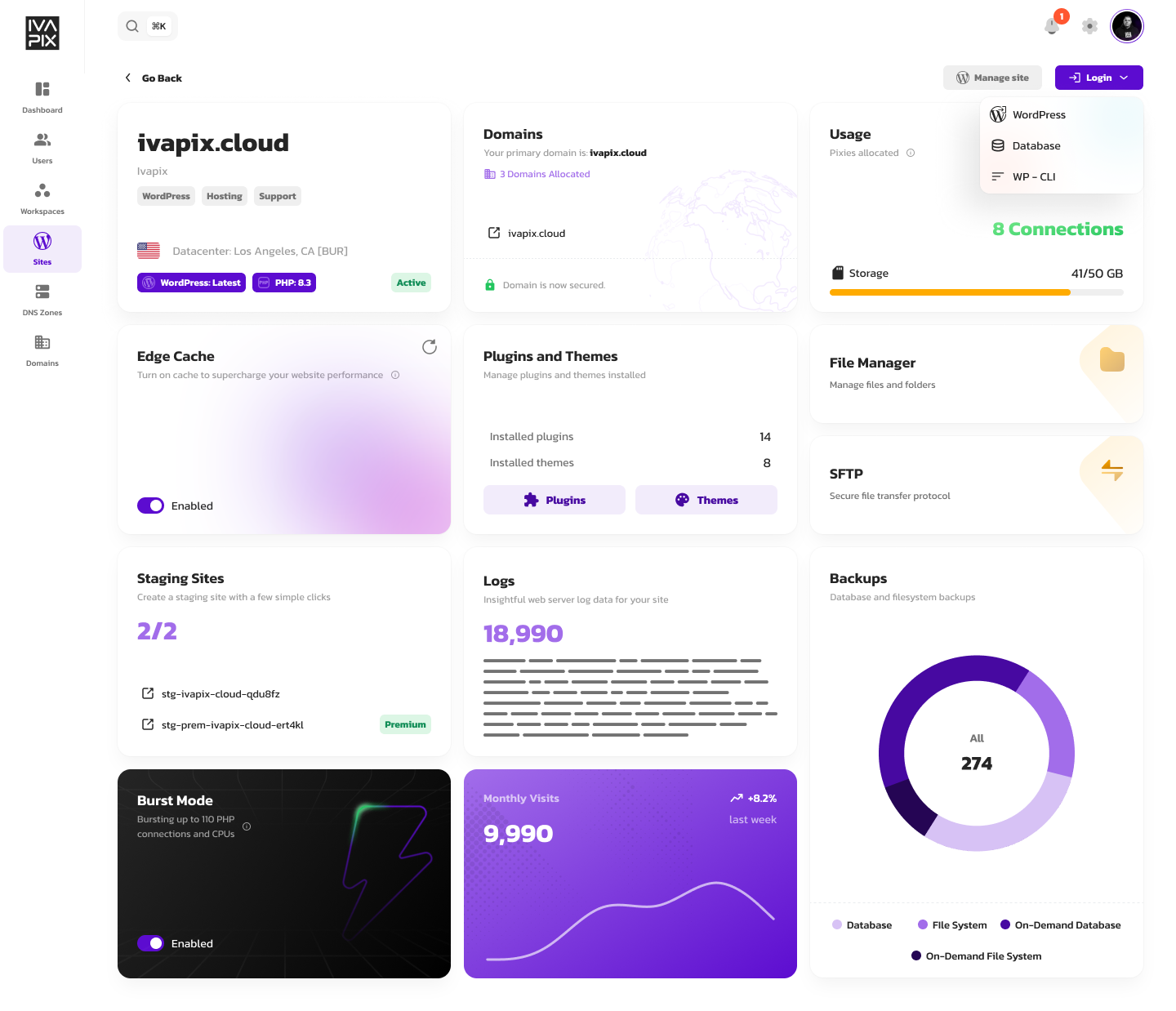
Easy cockpit, easy life!
Our new system brings enterprise-grade performance and scalability into the hands of everyday users, without the learning curve
But wait, there’s more
The full Ivapix experience
Ivapix doesn’t stop at workspace organization. Beyond client separation and management, you get collaborator permissions for team access, staging environments per site, one-click plugin management, automated backups, unlimited bandwidth and visits, Performance Monitoring across workspaces, flexible Pixie resource configuration, and expert support.

Pixie system
Stop paying for cookie-cutter plans that don’t fit how your sites actually work. Configure PHP workers, memory limits, storage, and features independently per site. Scale what you need, skip what you don’t.
Each Pixie represents a specific resource type. Drag sliders to select quantities, assign to sites, and changes apply instantly with no migrations, interruptions, or reboots. One site needs 10 workers and 100GB storage? Another needs 3 workers and 20GB? Configure both exactly as needed and pay monthly for what you’ve selected.