



Stop juggling dozens of logins
Managing multiple WordPress sites shouldn’t mean opening 20 browser tabs and remembering which credentials go where. Our panel centralizes everything, update plugins across all sites with one click, adjust resources with draggable sliders, monitor performance, and manage backups without ever logging into individual WordPress dashboards.
Built for agencies, developers, and businesses running multiple sites who need efficiency, not frustration.
Panel ready for website take-off!
Easy cockpit, easy life!
Stop fighting with complicated hosting panels. Our interface puts everything where you’d expect it. Manage sites, adjust resources, monitor performance, all without a manual.
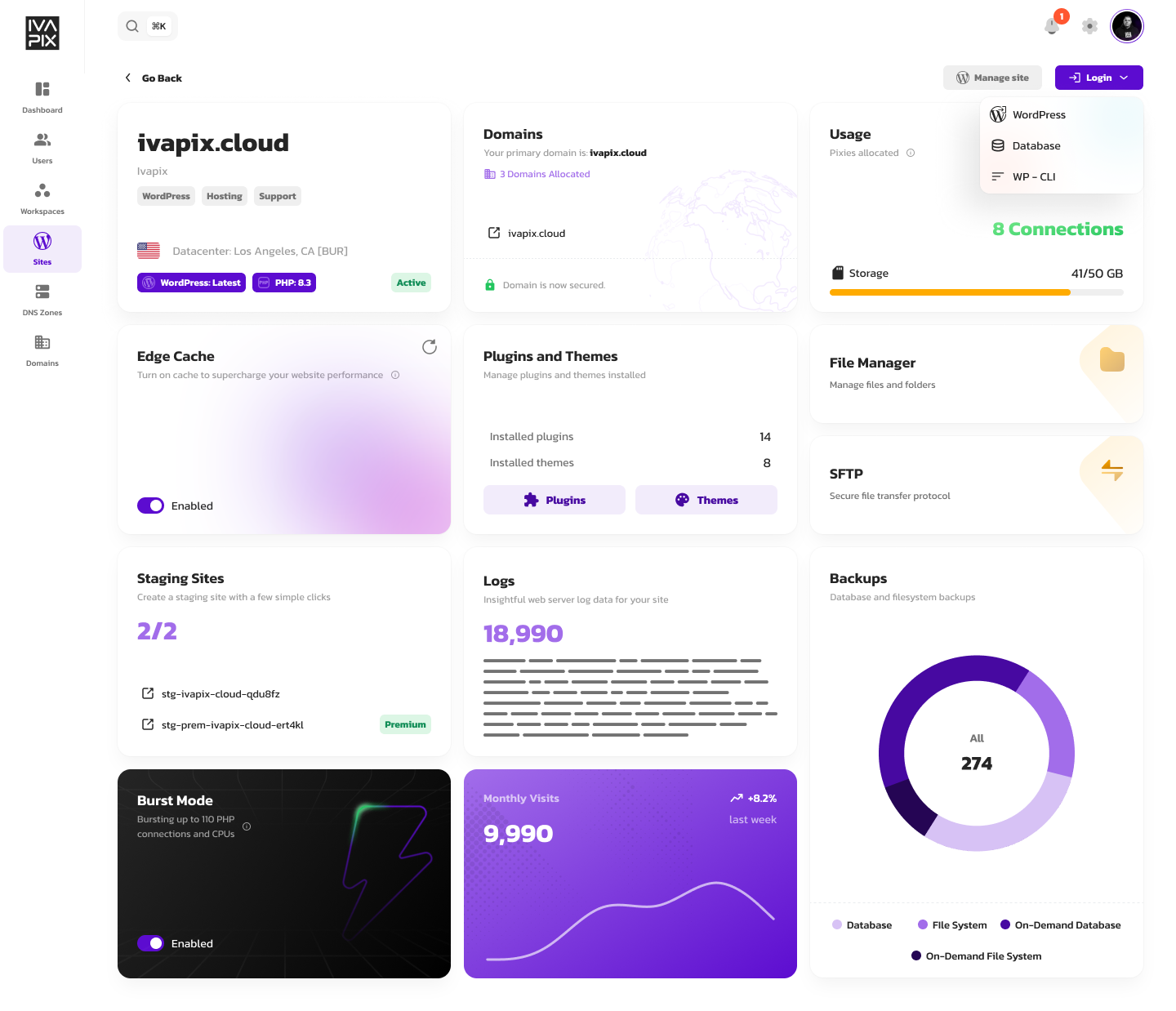
Everything at your fingertips
Oh, the amazing things you can do…
One interface for complete site management. No complexity, no hunting through menus, no wasted time.
Workspace organization
Keep sites organized by client or project. Create separate workspaces for clean separation and easy management across your portfolio.
Draggable Pixie configuration
Adjust PHP workers, memory, storage, and resources using Pixies with simple sliders. See pricing changes in real-time as you configure.
Domain & DNS management
Manage all domains and DNS records from one dashboard. Update nameservers, configure records, and handle SSL certificates without jumping between registrar sites.
One-click plugin management
Update, activate, deactivate, or delete plugins and themes across all sites simultaneously. No logging into individual WordPress dashboards.
Built-in file manager
Edit code, upload media, and manage files directly from the panel. FTP-like access without needing separate software.
Performance monitoring
Real-time metrics for traffic, response times, cache performance, and resource usage across all your sites in one view.
Backup management
Access hourly database and daily full-site backups. One-click restoration when you need to roll back changes.
Collaborator permissions
Invite team members with granular access control. Give developers full access while limiting clients to specific sites or features.
Stop fighting with your dashboards
Join agencies and developers who demand better tools
But wait, there’s more
The full Ivapix experience
Ivapix doesn’t stop at our management platform. Beyond the unified panel and workspace organization, you get automatic failover for 99.999% uptime, edge cache across 260+ global locations, burst mode for traffic spikes, enterprise security with DDoS protection, automated backups, staging environments, and expert WordPress support.

Infinitely Customizable Specifications
Pixies are flexible add-ons you can use to instantly boost your site. Need more storage, connections, or staging sites? Just drag the sliders. No need to upgrade to a bigger plan. Scale only what you need, when you need it.
Pixies, your Magical helpers
Ivapix Workspaces
Workspaces are your control center for managing multiple WordPress sites. Instead of getting lost between dozens of different panels, keep everything under control – organized, accessible, and logically structured.
A workspace is like a digital folder that groups all sites for one client or project. Within each workspace, you have complete overview and control over.
