
WordPress 7 Is Coming – And It’s a Bigger Shift Than It Looks
WordPress 7, scheduled for release in April 2026, introduces changes that go well beyond UI improvements or minor feature updates.
This version focuses on AI integration, collaborative editing, and more structured design control, bringing WordPress closer to modern content platforms while keeping its flexibility intact.
Below is a clear breakdown of what’s new—and what actually matters.
For developers, agencies, and site owners alike, these updates signal a shift in how content is created, managed, and optimized within the WordPress ecosystem. Understanding these changes early can help you prepare your workflows, themes, and plugins for the next phase of the platform.
Built-In AI Foundations
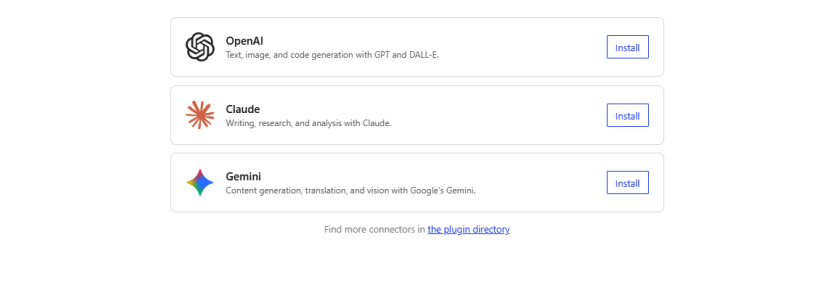
One of the most important additions in WordPress 7 is the introduction of a standardized AI integration system.
Through a new AI Client and Connectors framework, WordPress can now connect to external AI services such as:
- OpenAI
- Claude
- Gemini
This creates a consistent way for plugins and tools to integrate AI without building custom connection logic from scratch.
For site owners and developers, this means:
- Easier adoption of AI-powered features
- More stable and secure integrations
- Faster development of AI-enabled plugins
AI in WordPress is no longer experimental-it’s becoming part of the core architecture.
Real-Time Collaboration in the Editor
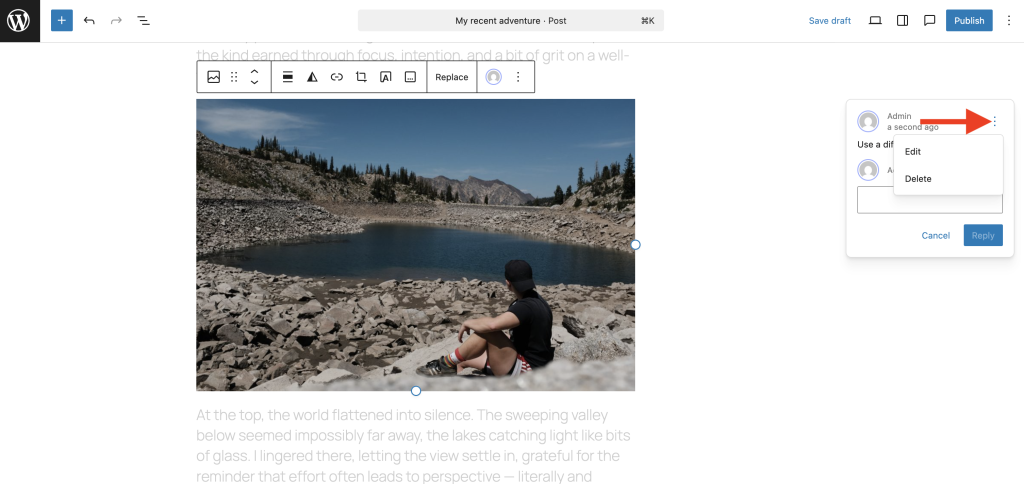
WordPress 7 introduces real-time collaboration directly inside the editor.
Multiple users can now work on the same page or post simultaneously, with changes appearing instantly. You can also see who else is currently editing.
This removes one of the biggest limitations of traditional WordPress workflows and aligns it with modern tools used by content teams.
Improved Navigation and Mobile Menu Control
Navigation management has been significantly improved, with a strong focus on mobile usability.
New capabilities include:
- Customizable mobile menu layouts
- Ready-made navigation patterns
- More flexible submenu behavior
- Sidebar preview for mobile menus
- Ability to create pages directly from the Navigation block
These changes reduce reliance on custom themes or plugins for basic navigation control.
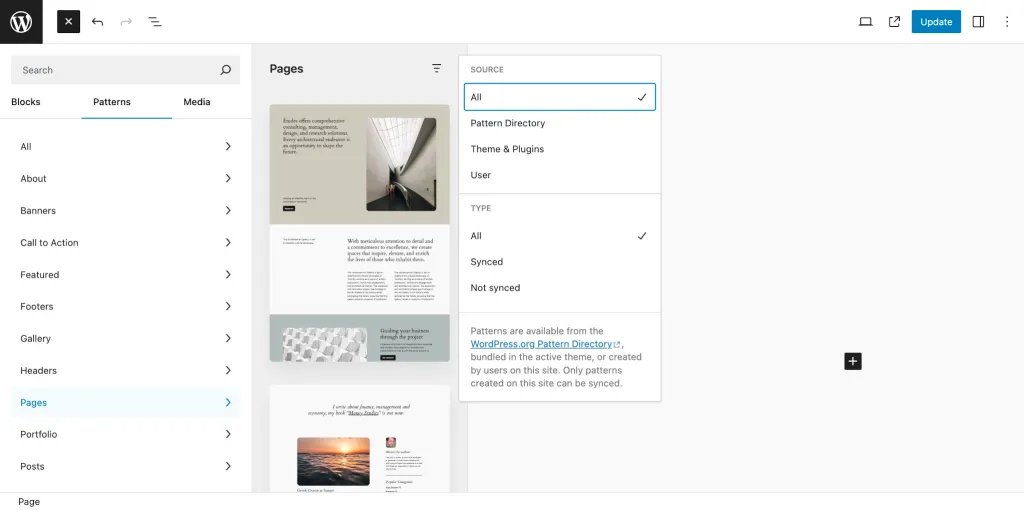
Easier Editingof Pre-Built Layouts (Patterns)
Patterns—pre-designed sections like hero areas, pricing tables, and testimonials—are now easier to work with.
Instead of editing individual blocks one by one, users can:
- Modify content through a simplified inspector panel
- Treat patterns as unified design elements
- Detach patterns only when deeper customization is needed
This makes content editing faster and more accessible, especially for non-technical users.
New Design Tools and Blocks
WordPress 7 expands its design capabilities with several new additions:
- Breadcrumbs block for improved navigation
- Icon block for flexible UI elements
- Video backgrounds in cover (hero) sections
- Enhanced Grid block with responsive column control
- Custom CSS support for individual blocks
These features give more control without increasing complexity.
Responsive Controls Without Workarounds
A long-requested feature is now built into core: device-based visibility settings.
You can choose whether specific blocks appear on:
- Desktop
- Tablet
- Mobile
This allows precise control over layouts without relying on custom code or third-party plugins.

Visual Revisions Inside the Editor
Revisions have been redesigned to be more intuitive.
Instead of comparing versions in a separate interface, you can now:
- Navigate changes through a visual timeline
- See edits directly within the content
This simplifies version control and makes it usable for a wider range of users.
Admin and Workflow Improvements
WordPress 7 also includes several backend enhancements:
- Dedicated font management section
- Command Palette accessible from the admin bar
- Smoother transitions across the interface
- Updated admin styling
While subtle, these improvements contribute to a more efficient workflow.
Media and Editing Enhancements
Additional improvements refine everyday editing tasks:
- More precise image editing tools
- Improved gallery lightbox navigation
- Easier color value input
- Anchor support for dynamic blocks
- Width and height controls for blocks
These updates focus on usability rather than introducing unnecessary complexity.
What WordPress 7 Means Going Forward
This release highlights several long-term directions:
- AI is becoming part of WordPress core
- Collaboration is now built-in, not external
- Design systems are more structured and scalable
- Responsive behavior is handled natively
- Editing is becoming simpler without reducing flexibility
WordPress is evolving beyond a traditional CMS into a more complete platform for content and digital experiences.
Final Thoughts
WordPress 7 is still in beta, and some details may change before the final release.
However, the direction is clear:
more capability in core, less reliance on external tools, and a better balance between simplicity and control.